Still Managing Leads in Excel? Why Your Business Needs a CRM
Excel sheets and Word files work when you're small, but they quietly cost you leads as you grow. Here's why a CRM is the better way to manage customers, and how to switch without stress.
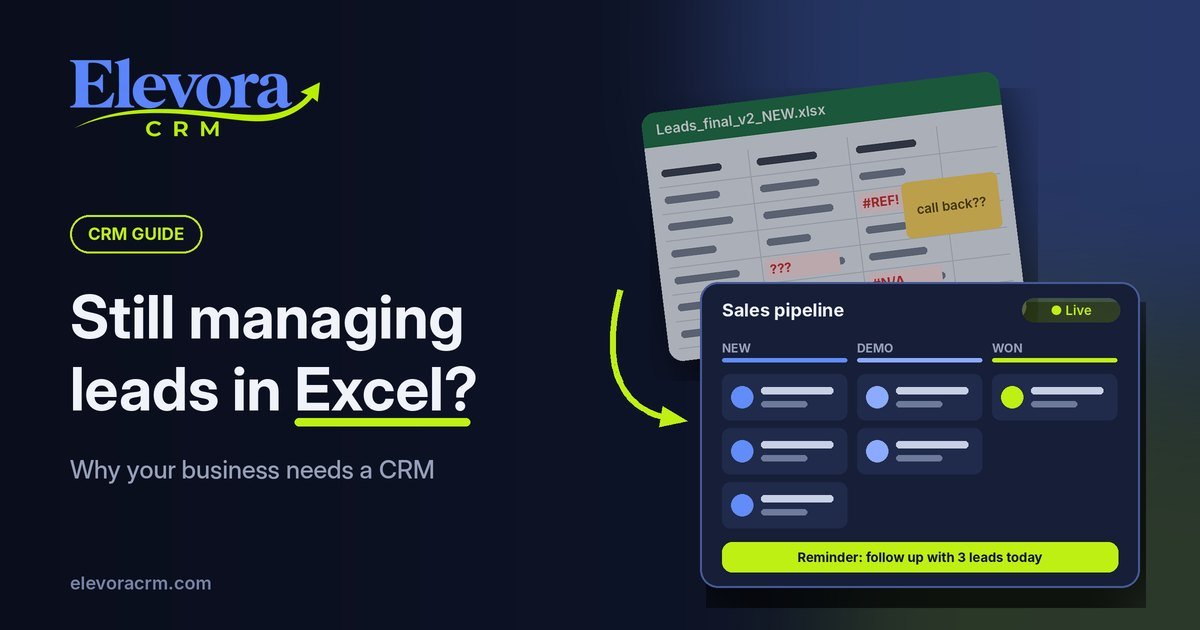
Sound familiar?
A lead calls on Monday. You note their number in an Excel sheet. On Tuesday, a colleague saves their requirements in a Word file. By Thursday, the follow-up is buried somewhere in WhatsApp, and nobody remembers who was supposed to call back.
A week later, the lead has bought from your competitor.
This is how most small businesses start: with spreadsheets, documents and chat messages. It works when you have 20 customers. But as your business grows, these files quietly start costing you leads, time and money. In this article, we will look at why Excel and document files fall short, and how a CRM solves the problem.
The real problems with Excel and document files
Excel is a great tool for calculations. It was never built to manage customers. Here is where it breaks down.
1. Your data is scattered everywhere. Customer details sit in one sheet, quotations in Word files, conversations in WhatsApp and email. To understand one customer, you have to open five different places.
2. Follow-ups get forgotten. A spreadsheet cannot remind you to call someone tomorrow at 11 AM. When follow-ups depend on memory, leads slip through the cracks. And a missed follow-up is often a lost sale.
3. Too many versions of the same file. "Leads_final.xlsx", "Leads_final_v2.xlsx", "Leads_updated_NEW.xlsx". When everyone saves their own copy, nobody knows which one is correct.
4. Mistakes are easy and hard to spot. One wrong paste, one deleted row, or one sorted column that didn't include all the data, and your records are broken. Often, nobody notices until it is too late.
5. You cannot see your team's work. Who called which lead? What did the customer say? How many deals are close to closing? In Excel, finding these answers means asking around or building reports by hand.
6. Your data is not safe. Files get shared over email and pen drives. When an employee leaves, the customer list can leave with them. And if a laptop crashes, the data may be gone for good.
What is a CRM, in simple words?
CRM stands for Customer Relationship Management. A CRM is software that keeps everything about your customers and leads in one place: their contact details, every call and message, every quotation, and what needs to happen next.
Think of it as a smart notebook for your whole sales team. It remembers everything, reminds you what to do, and shows you exactly where every deal stands.
How a CRM fixes each problem
Every problem above has a simple fix in a CRM.
| Problem | With Excel and files | With a CRM |
| Scattered data | Details spread across sheets, Word files and chats | One profile per customer with every call, note and quote |
| Forgotten follow-ups | Depends on someone's memory | Automatic reminders for every follow-up |
| Multiple versions | Many copies, no single truth | One live system everyone updates |
| Mistakes | Easy to delete or overwrite rows | Structured fields and a history of every change |
| No visibility | Reports built by hand | A live sales pipeline and instant reports |
| Data security | Files on laptops, email and pen drives | Secure cloud access, with permissions per user |
The result is simple: fewer lost leads, faster follow-ups, and more time spent selling instead of searching for files.
Signs your business has outgrown Excel
If any of these sound like you, it is time to switch:
- You have lost a lead because someone forgot to follow up.
- Your team argues about which spreadsheet is the latest one.
- You spend more than an hour a week updating or cleaning sheets.
- You cannot tell, right now, how many deals are close to closing.
- More than one person handles leads and customers.
- Leads come in from many places: your website, calls, WhatsApp, social media.
Even two of these signs mean Excel is already costing you sales.
How to switch without stress
Moving to a CRM is easier than most people think. You do not have to throw away your existing data.
- Collect your current sheets. Put all your lead and customer files in one folder.
- Clean the basics. Remove duplicates and make sure names and phone numbers are in their own columns.
- Import into the CRM. Most CRMs, including Elevora CRM, let you upload an Excel or CSV file directly.
- Set up your sales stages. For example: New Lead, Contacted, Demo Done, Quotation Sent, Won, Lost.
- Train your team for one hour. Show them how to add a lead, log a call and set a reminder.
- Stop using the old sheets. Keeping both running side by side brings back the confusion. Commit to the CRM from day one.
Most small teams are fully running on a CRM within a week.
Stop losing leads to messy files
Excel and document files helped you get started. But they were never designed to grow with you. Every forgotten follow-up and every lost spreadsheet is a customer you worked hard to find, walking away.
A CRM gives your business one place for every customer, reminders for every follow-up, and a clear view of every deal. Your team spends less time searching and more time selling.
Ready to leave the spreadsheet chaos behind? Book a free demo of Elevora CRM. In 20 minutes, we will show you how to bring all your leads into one simple system and never miss a follow-up again.